
Amazon Tricks – Save Money On Amazon


Amazon Trick #1 – Amazon Outlet
This next tip is great and something I didn’t actually know about until quite recently.
It’s a way to save money on Amazon by purchasing through the Amazon outlet.
This is a place where Amazon sells all of their overstocked goods or even faulty goods for a discounted price.
Quite often, you can see things with slight faults like a battered box or slightly damaged – but it doesn’t affect the usability of the items.
For the rest of the stuff, it’s because they’ve just ordered way too much in for Christmas or a holiday and they haven’t sold it, so they sell it at a cheaper price.

The stock options are usually limited, but there are several categories to take a look through, including electronics, baby, home or furniture, books, kitchen, and more.
If you see something you like the look of, it will tell you what’s wrong with the product as you add it to your basket – so you’re aware before you press buy.
From having a quick look myself, I saw £10 off an iPhone case, £10 off a Bluetooth mouse, £50 off a TomTom satnav – the list went on.
I even saw £100 off a push chair, which had been used in the past once and sent back to Amazon, and put on the outlet. So the box had been opened, but there’s absolutely nothing wrong with the contents inside.
If you do want to buy anything, make sure you have a check of the outlet to see if it’s on there at a discounted price.
Amazon Trick #2 – Split The Cost Of Prime
Do you have someone in your house who’s the only person with Prime, so they have to do all the ordering?
Or perhaps you have a partner or a relative with Prime that you want to tap onto it as well?
There is actually a way that you can have two adults share the same benefits of Prime and only pay for one membership.
It’s called Amazon household. To get it, you need to log onto the Amazon household page and send an invite to the person who you want to link up with.

After going through the steps of adding them, you’re both linked! So whoever has Prime is giving their Prime access to the other person, and it doesn’t cost them any money.
The main bill payer still pays for Prime, but instead there are two people getting the benefits instead of one – and you can add up to four children as well to watch Amazon Prime video and the kids areas.
Prime membership usually costs about £7.99 a month, so you can either split the cost between two, or if it’s your partner or someone you share bills with, then you can just tap on and you don’t pay any extra.
So if there are two people in your household paying for Prime, stop it now. Sign up to Amazon household and you will save £7.99 a month.
You both get access to Prime delivery (one day delivery), Prime video, Prime music, and more – so there are different options to use it other than delivery.
There is one slight caveat for this though. When you link accounts, your credit card details and your debit card details are shared with each other.
So you’ll need to be quite trusting of that person to make sure that they don’t spend on your card.
And one other thing, is if you both have a smart speaker, you can see what they’re searching for. So don’t go asking Alexa anything weird… because the other person might be able to see it.
This all requires a bit of love and a bit of trust, but it’s a great tip if you want to split your bill or basically get it for free if you’ve got a really nice friend.
Amazon Trick #3 – Save Money On Amazon Delivery Fees
This is a great tip for anyone who does not have Prime and doesn’t like paying the sky high delivery fees if you spend under £20 on Amazon.
It’s called the Super Saver Delivery Tool. It’s a pretty easy website, that suggests items to add to your basket and meet the minimum threshold of free delivery.
When you land on their home page, it asks you to put in the amount that is in your basket right now, and then it suggests products that you can put in your basket to reach £20 for free delivery.

This is especially great if you’re £2 or £3 under, because it’s £4 delivery, it’s just worth adding something to your basket. It gets you something for free, and gets you free delivery.
As an example, I had £17.53 in my basket once (nightmare)! I hopped onto Super Saver Delivery Tool and tried to find something around the price £2.47.
A lot of options came up like a Harry Potter plastic tablecloth, a Fruit of the Loom unisex kids T-Shirt, a Goodnight Mr. Tom DVD and more.
Those were all £2.50 – so adding to your basket would make it £20.02 – which includes free delivery.
Amazon Trick #5 – Check Historical Pricing
Here’s one final tip for you. There’s a website you can use to see if it’s the right time to buy on Amazon, based on what pricing has been in the past.
It’s a website called CamelCamelCamel. It sounds weird – I know, but it’s a great tool if you shop on Amazon.
It’s a tool to show you pricing history of everything single product you can buy on Amazon.
If you search for an echo dot, for example, it’ll show you a graph of what the prices were in the past 12 months.

With this, you can see if buying right now is the cheapest price, or whether it has dropped lower.
There are also other features such as price alerts, which you can receive an email from them when your chosen item drops below your preferred price.
It also shows you what third-party sellers are selling items for, as sometimes Amazon isn’t the cheapest.
This is a handy tool, especially around Black Friday and Prime Day, so you can see if the items that they’re selling and they’re promoting quite heavily, is really a deal or not.
I used this quite often on Black Friday last year and there were several items that had been cheaper in the past. It was not the cheapest day to buy.
So this information might not save money on Amazon, but it’s a good gauge as to whether it’s a good price right now, or whether it might be worth looking elsewhere on other websites to see if you can find it cheaper.
Amazon Trick #6 – Get Cashback On Amazon Purchases
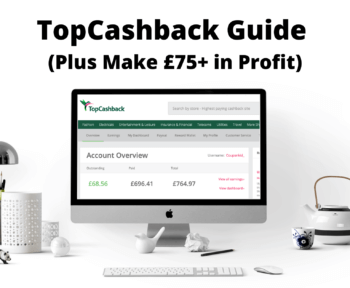
Did you know that Amazon is available for cashback on TopCashback and Quidco?
Both of these cashback websites offer 2.5% cashback when buying selected Amazon products.

Unfortunately it doesn’t cover everything you can buy on Amazon – but it’s still a little something to remember if you were to buy an Amazon item.
The 2.5% cashback will be paid if you buy an Echo device, Fire TV device, Kindle E-Reader or Kindle Tablet devices.
When buying an Echo Dot for £49.99, the cashback will get you around £1.25 back. Not life changing, but a nice way to save money on Amazon.


2 Comments
Fidel
Thanks inn favor of shazring such a pleasant opinion, paraagraph is pleasant,
thats why i have read it fully
Carin
I amm sur this pieece of writing hhas touched all the inhternet visitors, itss reallyy
really nice piece off riting on building uup nnew blog.